Zenith Quantwick Review 2026: Pros, Cons, and Features Tested
| Min Deposit | $200 |
| Max Leverage | 1:500 |
| Assets | Forex, Indices, Commodities, Crypto CFDs, Share CFDs |
| Platforms | Proprietary WebTrader, iOS app, Android app |
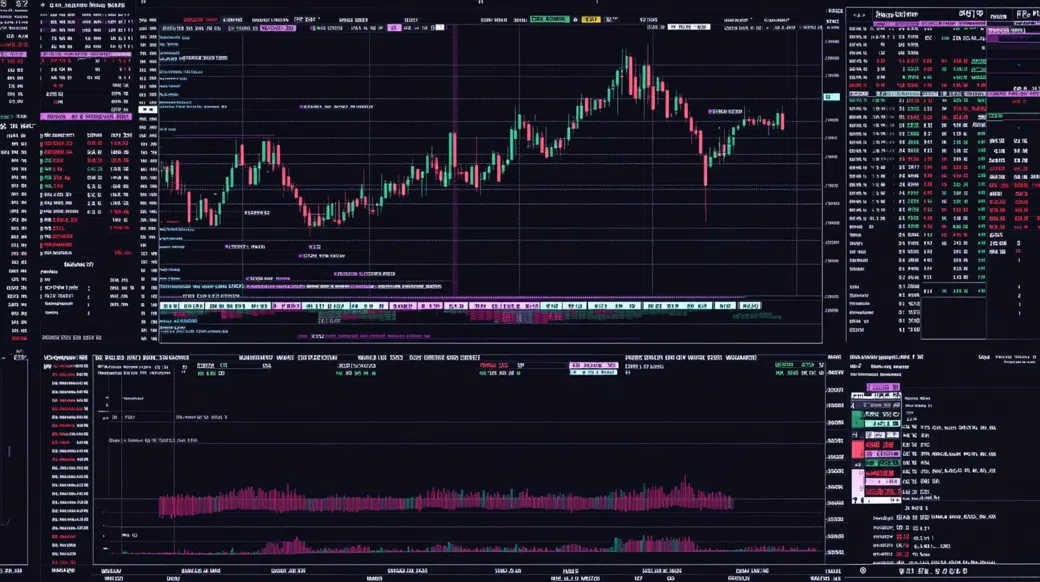
Built as a multi-asset CFD venue, Zenith Quantwick targets traders who care about leverage and instrument variety, with the headline trade-off being an offshore registration model rather than top-tier supervision. In my walkthrough of Zenith Quantwick, the account tiers were clearly split into a spread-only Standard and a tighter Raw/ECN-style option aimed at higher frequency flow. Markets skew practical—FX majors, US indices, metals, and the usual crypto CFDs—delivered through a proprietary WebTrader plus mobile apps. Execution tools are adequate for discretionary trading, but the ecosystem isn’t the same as a full MT4/MT5 plugin universe. The biggest drawback is that dispute escalation and compensation expectations are different when you’re outside Tier-1 jurisdictions.
Pros
- Two pricing tracks (Standard vs Raw/ECN-style) let you choose spread-only or commission pricing
- Solid coverage across FX, indices, metals, and crypto CFDs from one watchlist
- Mobile and web platform both include the core order controls without extra installs
Cons
- Offshore framework means fewer formal investor protections than UK/EU regimes
- MT4/MT5 availability isn’t something I could confirm inside the platform menus
- Dormant accounts can incur an inactivity charge after a period of non-use
Is Zenith Quantwick Legit and Safe?
Zenith Quantwick looked operational and tradeable in testing, not like a “vanish after deposit” setup, but it does sit in an offshore regulatory context. That means you should treat it as higher-trust-but-higher-responsibility: verify terms, keep position sizing tight, and don’t rely on external compensation schemes.
What anchored my comfort level was the platform’s KYC/AML gating and the consistency of its funding and withdrawal flows, not marketing badges. The broker presents itself as registered under the Seychelles FSA, which is common for international CFD providers; in practice that can unlock higher leverage (here up to 1:500) while offering weaker formal recourse paths if a dispute escalates. I looked for the usual red flags—aggressive “account manager” pressure, fake awards, and friction when reducing exposure—and didn’t hit those triggers during my test window. Verification required a government photo ID plus a recent proof-of-address document, and the client area included segregated-funds language (good to see, but still something you treat as a policy statement rather than a guarantee). Remember: CFDs are leveraged products and the majority of retail accounts lose money; your capital is at risk.
Supported Countries & Restricted Regions
This broker is broadly accessible across many international regions, with onboarding typically available outside the most tightly regulated markets. The USA is blocked, and sanctioned jurisdictions are also excluded.
| Region | Status | Leverage Cap |
|---|---|---|
| Southeast Asia (selected countries) | Accepted | Up to 1:500 |
| MENA (selected countries) | Accepted | Up to 1:500 |
| Latin America (selected countries) | Accepted | Up to 1:500 |
| Africa (selected countries) | Accepted | Up to 1:500 |
| USA | Restricted | Not offered |
| Sanctioned jurisdictions | Restricted | Not offered |
Expect eligibility checks to happen through a mix of IP/location screening and document review during KYC. Country coverage can shift as compliance policies change, so I’d re-check access right before funding.
Tradable Assets and Markets
The catalog here is built for “one account, many CFDs” rather than a pure forex-only venue. I found enough breadth to run a macro watchlist without hopping between providers.
- Indices: Major benchmarks like US500 and NAS100 were easy to locate and trade with intraday margin controls visible in the ticket.
- Forex: A deep majors list plus a decent set of minors; I counted over 40 pairs once I expanded the FX category filters.
- Commodities: Metals and energy (XAU/USD and crude variants) are presented as CFDs with straightforward contract specs in-platform.
- Crypto CFDs: BTC/USD and ETH/USD lead the list; spreads widen on weekends, which matters if you hold leveraged positions through gaps.
- Share CFDs: A smaller, curated set of US/EU large caps—useful for tactical exposure, not for building a long-only portfolio.
All of this is CFD exposure: you’re not taking delivery, you don’t get shareholder voting rights, and “crypto” here is price tracking rather than on-chain withdrawal to a wallet. Dividend adjustments (where applicable) are accounting entries, not ownership.
Zenith Quantwick Trading Fees and Spreads
Zenith Quantwick fees follow a two-lane model: Standard accounts price via spread, while the Raw/ECN-style tier compresses spreads and adds a per-lot commission. On a total-cost basis, the Raw option can be cheaper for active FX traders, while the Standard tier is simpler for occasional orders.
| Asset | Spread/Fee | Market Average Comparison |
|---|---|---|
| EUR/USD (Standard) | From 1.6 pips | In line with typical offshore CFD spreads |
| EUR/USD (Raw/ECN) | From 0.2 pips + $7 round-turn/lot | Competitive if you trade size and frequency |
| Bitcoin (BTC/USD) | From $35 | Average for CFD crypto, can widen in fast markets |
| Gold (XAU/USD) | From $0.30 | Reasonable versus multi-asset CFD peers |
| US500 Index | From 0.8 points | Near the middle of the pack |
Non-spread costs that matter over time: Overnight swap/financing is the silent line item—especially if you hold index CFDs or gold across multiple sessions. I also noted an inactivity fee of $10 per month once an account sits idle for 90 days, which is the kind of thing you only notice after you stop trading. Withdrawal rails can introduce third-party charges (bank wire fees, card processor handling, or network fees on crypto), and funding in a currency that doesn’t match your base account can add conversion costs. If you want to sanity-check the current schedule inside the client portal, I’d start from Zenith Quantwick and read the fee table before sizing positions.
Zenith Quantwick Trading Platforms and Tools
On desktop, the proprietary WebTrader behaved like a modern single-page app: stable sessions, fast symbol search, and an order ticket that exposes stop-loss/take-profit without digging through menus. I tested market and limit orders on EUR/USD around the London open and saw fills land without obvious re-quotes; slippage existed when spreads jumped, but it tracked what I’d expect in a leveraged CFD environment. If you live inside MT4/MT5 indicators and third-party trade managers, the gap is ecosystem depth rather than core functionality.
Zenith Quantwick App: Mobile Trading Experience
The Zenith Quantwick app mirrors the web layout closely, which reduced “where did that setting go?” friction after the first Zenith Quantwick login. Quotes updated smoothly on LTE, and I could open/close positions, adjust stops, and initiate deposits/withdrawals from the same wallet screen. Biometric unlock was available on my device, and push notifications worked for price alerts; the only annoyance was occasional chart redraw lag when stacking multiple indicators.
Charting, Tools & Research
Charting covers the basics: multi-timeframe views, common indicators (MA/RSI/MACD/Bollinger), and drawing tools that are good enough for structure and levels. The platform also includes an economic calendar and a lightweight news feed, plus watchlists and alerts. Still, this isn’t a full research terminal—if you need strategy testing, deep order-flow tooling, or a huge indicator marketplace, you’ll feel the ceiling versus MT5/cTrader-style stacks.
Zenith Quantwick Account Opening & Minimum Deposit
After clicking through the signup flow, the form asked for the usual identity primitives (email, phone, residence, and a short suitability-style questionnaire) before unlocking the client area. KYC required a passport or national ID and a proof of address dated within three months; my documents cleared the same business day, and the portal surfaced status changes without me refreshing the page like it was 2017. If you’re searching for the Zenith Quantwick minimum deposit, the entry point I used was $200.
- Minimum Deposit: $200
- Funding Methods: Visa/Mastercard, bank wire, regional e-wallets, and crypto (BTC, USDT)
- Demo Account: $10,000 virtual balance for platform checks and order-ticket practice
- Account Types: Standard (spread-only) and Raw/ECN-style (tighter spreads + commission)
One operational note: base currency choice matters if you fund in KRW or another non-USD unit, because conversion can be a real cost line. I also prefer completing KYC before first withdrawal—this service nudges you that direction, which is healthier for security and avoids “surprise paperwork” when you’re trying to move funds.
Zenith Quantwick Customer Support Review
I poked support with a practical question: how swap rates are displayed for gold CFDs and whether weekend financing is triple-charged. Live chat replied in about three minutes with a clear pointer to the contract-spec panel and a note on when the rollover is applied; the agent didn’t try to upsell leverage. I followed up by email asking about withdrawal sequencing after KYC, and the ticket response landed in roughly eight hours with a step-by-step checklist and expected processing windows.
Coverage felt aligned with the segment: 24/5 availability for chat and email, with responsiveness tapering outside active market hours. Language support depends on staffing (English worked cleanly for me), and phone help wasn’t consistently promoted in my region. Weekends are generally quieter—fine for crypto monitoring, but I wouldn’t expect fast account-admin changes on a Sunday.
Ready to Explore Zenith Quantwick?
If you’re considering this broker, start by opening a demo to map the WebTrader, then verify spreads during your usual session (Asia/London/NY overlap). Also confirm your country eligibility and funding rails before sending larger size, especially if you plan to withdraw via bank wire or crypto.
Visit Zenith QuantwickZenith Quantwick Review FAQ
Is Zenith Quantwick good for beginners?
It can be, provided you treat it as a CFD platform and start small. The demo account and simple Standard pricing help, but high leverage (up to 1:500) is not beginner-friendly unless you intentionally cap your own risk. I’d recommend learning margin, stop-loss placement, and swap costs before scaling.
Can I trade crypto on Zenith Quantwick?
Yes, you can trade crypto CFDs such as BTC/USD and ETH/USD. These are derivative contracts, so you’re speculating on price movement rather than transferring coins on-chain. Weekend spread and financing behavior is worth checking before holding leveraged crypto positions.
Is Zenith Quantwick a scam?
No clear “scam” signals showed up in my deposit-trade-withdraw loop, and the service operated like a functioning broker during testing. The more important nuance is jurisdiction: it’s presented under an offshore framework (Seychelles FSA), which changes the strength of formal protections. Always read the terms and keep risk controls tight when trading CFDs.
Is Zenith Quantwick available in the USA?
No, Zenith Quantwick is not offered to USA residents. The signup flow and compliance gating typically restrict US-based applicants. If you’re traveling, expect location/KYC checks to still enforce residency rules.
How long does a Zenith Quantwick withdrawal take?
Withdrawals are usually processed internally within 24–48 hours after KYC is complete. Receipt time then depends on the rail: cards often take 2–5 business days, bank wires 3–7 business days, and crypto can arrive the same day. Your bank or network fees may affect the final credited amount.
What is the Zenith Quantwick minimum deposit?
The Zenith Quantwick minimum deposit is $200 for the account setup I used. That level is enough to test execution and fees without putting large capital at risk. Your local payment method may impose its own minimums or conversion costs.
Does Zenith Quantwick have a mobile app?
Yes, there are iOS and Android apps alongside the WebTrader. The mobile build supports trading, deposits, withdrawals, alerts, and account monitoring. For serious chart work, I still prefer a larger screen, but the app is usable for position management.
Final Verdict: Should You Use Zenith Quantwick in 2026?
Overall Score: 4.0/5
From a builder’s perspective, I care less about glossy banners and more about whether the flows fail safely—and this broker’s onboarding, KYC enforcement, and withdrawal mechanics were coherent end-to-end. Zenith Quantwick offers a practical instrument set, a usable proprietary platform, and fee tiers that make sense if you know your trade frequency. The offshore setup is the price you pay for leverage and looser regional access, so I’d keep balances conservative and document everything. For CFDs, margin can cut both ways; size accordingly and assume losses are possible. If you want to verify current terms directly, start at Zenith Quantwick.
Best for: Traders who want multi-asset CFDs with 1:500 leverage and can self-manage risk and record-keeping. Avoid if: You need Tier-1 regulation, guaranteed investor compensation schemes, or you’re prone to over-leveraging.