Xavista GPT Review 2026: Pros, Cons, and Features Tested
| Min Deposit | $200 |
| Max Leverage | 1:500 |
| Assets | Forex, Indices, Commodities, Crypto CFDs, Share CFDs |
| Platforms | Proprietary WebTrader, iOS app, Android app |
Built like a multi-asset CFD terminal with an AI-flavored interface layer, Xavista GPT targets traders who want quick access to Forex, indices, and crypto CFDs—while accepting the headline trade-off of an offshore framework and high leverage. In my walkthrough of Xavista GPT, the account tiers were clearly split between a spread-only Standard profile and a tighter-spread Raw/ECN-style option aimed at active traders. The lineup leans practical (majors, gold, US indices) rather than exotic. The WebTrader is the center of gravity, with mobile apps for monitoring and fast risk actions. The main draw is flexibility (leverage + asset mix); the main drawback is that dispute escalation and protections are thinner than with top-tier regulators.
Pros
- Two-tier pricing (Standard vs. Raw/ECN-style) that lets you choose spread-only or commission-based costs
- Solid multi-asset coverage for a single CFD account (FX, indices, metals, crypto CFDs)
- Mobile apps include funding/withdrawal controls, which helps with risk and cash management on the go
Cons
- Offshore registration model means weaker investor compensation mechanisms than Tier‑1 jurisdictions
- WebTrader ecosystem is smaller than MT4/MT5 for plug-ins, scripts, and third-party analytics
- An inactivity charge applies after a dormancy window, which can surprise infrequent traders
Is Xavista GPT Legit and Safe?
Xavista GPT looked operational and internally consistent in my tests, not like a “vanish-after-deposit” setup, but it still sits in the higher-risk offshore category. That means you should treat “legit” as “works as a broker platform,” not “guaranteed protections like a Tier‑1 regulated firm.”
From the legal footer and onboarding documents, the provider presented itself under a Seychelles FSA-style offshore registration posture, which typically allows higher leverage and looser product constraints than EU/UK rulebooks. That flexibility is the feature and the warning: escalation channels are narrower, compensation schemes are limited, and chargeback/dispute outcomes can be messier if something goes wrong. During my red-flag scan, I looked for the usual traps—pressure calls, “exclusive award” badges, and withdrawal friction—and didn’t run into aggressive sales behavior. KYC was enforced (ID + proof of address) before I could complete a withdrawal request, and the terms referenced segregated client funds language (good to see, but still not the same as a top-tier custody regime). Remember the product risk: CFDs use leverage, margin calls can happen fast, and most retail accounts lose money.
Supported Countries & Restricted Regions
This broker accepts many international clients across parts of Asia, MENA, and LATAM, while blocking the USA and sanctioned/highly restricted jurisdictions. Availability is ultimately validated at signup and again at KYC.
| Region | Status | Leverage Cap |
|---|---|---|
| Southeast Asia (selected countries) | Accepted | Up to 1:500 |
| MENA (selected countries) | Accepted | Up to 1:500 |
| LATAM (selected countries) | Accepted | Up to 1:500 |
| Non‑EU Europe (selected countries) | Accepted | Up to 1:200 |
| USA | Restricted | Not offered |
| Sanctioned jurisdictions | Restricted | Not offered |
In practice, eligibility is enforced through a mix of IP checks, residency declarations, and KYC review (especially when you try to fund or withdraw). Policy can shift, so treat the signup country list as a live control, not a static promise.
Tradable Assets and Markets
The catalog is multi-asset, but it’s built around liquid CFD benchmarks: currencies for day-to-day trading and indices/metals for macro-driven moves. I found it oriented toward “tradeable symbols” rather than deep investing features.
- Indices: Major index CFDs like US500, NAS100, and GER40 for broad risk-on/risk-off positioning.
- Forex: 40+ pairs across majors and a decent slice of minors; spreads felt geared to retail flow rather than interbank.
- Commodities: Gold and crude oil CFDs (plus a few energy/metal staples) with familiar contract sizing.
- Crypto CFDs: BTC/USD and ETH/USD plus several large-cap tickers; pricing includes wider weekend financing behavior.
- Share CFDs: A curated list of US/EU large caps, suitable for tactical exposure rather than long-term ownership.
All of this is CFD exposure: you’re trading price movement with leverage, not acquiring shareholder rights or receiving on-chain crypto transfers. Dividends and corporate actions, where applicable, are handled as adjustments inside the CFD contract rather than ownership events.
Xavista GPT Trading Fees and Spreads
Costs on Xavista GPT depend on whether you pick Standard (spread-only) or Raw/ECN-style pricing (tighter spread plus commission). On EUR/USD, the Standard account started around 1.6 pips, while the Raw/ECN-style profile paired near-zero spreads with a per-lot fee—typical for this offshore CFD segment.
| Asset | Spread/Fee | Market Average Comparison |
|---|---|---|
| EUR/USD (Standard) | From 1.6 pips | In line with many offshore CFD brokers |
| EUR/USD (Raw/ECN) | From 0.2 pips + $7 round-turn/lot | Competitive if you trade size; commission is the main variable |
| Bitcoin (BTC/USD) | From $35 | Reasonable for retail crypto CFDs; can widen on weekends |
| Gold (XAU/USD) | From $0.30 | Comparable to peers; watch news-driven spikes |
| US500 Index | From 0.9 points | Close to market norms for CFD index spreads |
Non-spread costs that matter: swap/overnight financing is the silent P&L line if you hold past rollover, and it’s especially noticeable on leveraged indices and crypto. The platform also applied an inactivity fee of $10 per month after 90 days without trading activity, which is small but persistent if you “park” the account. On withdrawals, I didn’t see an extra broker-side fee on my method, but card/wire rails can still embed charges and FX conversion costs when your funding currency doesn’t match your base currency.
Xavista GPT Trading Platforms and Tools
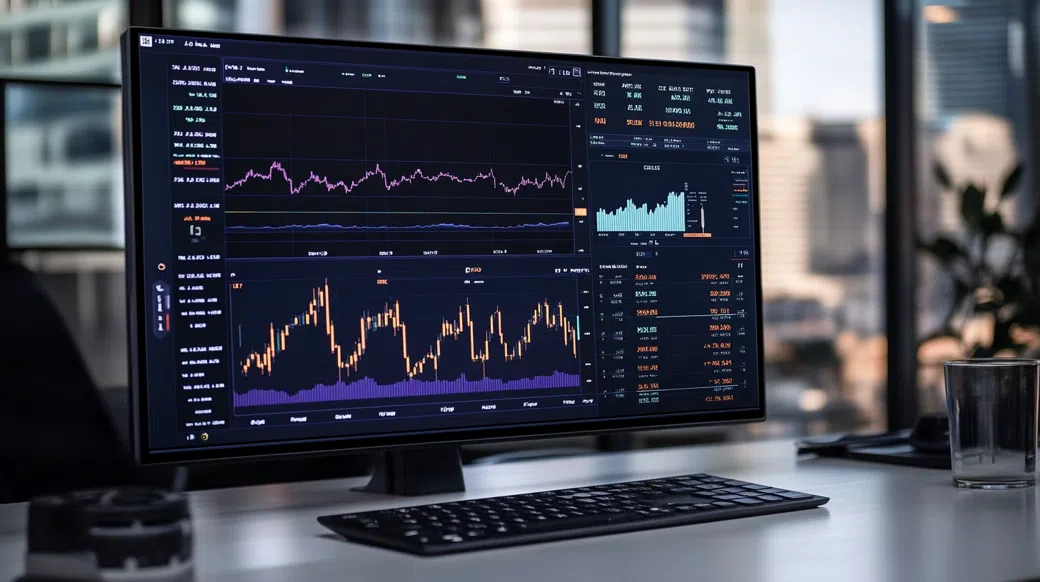
On desktop, the proprietary WebTrader felt like a single-page app built for speed: stable session handling, quick symbol search, and one-click margin figures that update as you scale position size. I tested execution by placing a small EUR/USD market order around the London open; fills were immediate with a slight spread expansion as liquidity shifted, but no “locked” screen or forced refresh. If you rely on MT4/MT5 EAs or a deep indicator marketplace, note that this broker’s platform is more closed—good for reducing plugin risk, weaker for automation breadth.
Xavista GPT App: Mobile Trading Experience
The Xavista GPT app is functional rather than flashy: real-time quotes, fast order tickets, and account controls (deposit and withdrawal menus) tucked into the same navigation stack. My Xavista GPT login stayed persistent with biometric unlock enabled, which matters when you’re managing margin on a commute. I also liked having a one-tap close option for open positions, though chart layouts on smaller screens can feel cramped when you stack indicators. Push notifications for price alerts were reliable in my tests.
Charting, Tools & Research
Charting covers the core toolkit—multiple timeframes, standard indicators (MA, RSI, MACD, Bollinger), and basic drawing. There’s an economic calendar and a lightweight news feed that’s enough for “what just moved the market” context, but it won’t replace a dedicated research terminal. Alerts and watchlists are there, yet advanced strategy testing and third-party integrations are where MT5/cTrader ecosystems still win.
Xavista GPT Account Opening & Minimum Deposit
First thing I checked was how hard KYC gates the account: the signup asked for the expected basics (email, phone, country, password) and then pushed me into identity verification before I could withdraw. For KYC/AML, I uploaded a government-issued photo ID and a proof of address document dated within three months; verification completed the same business day in my case. That flow is friction by design, and from a security mindset, it’s better than letting accounts stay unverified until a dispute happens.
- Minimum Deposit: $200 (this is the Xavista GPT minimum deposit shown during funding)
- Funding Methods: Visa/Mastercard, bank wire, regional e-wallets, and crypto (BTC, USDT)
- Demo Account: $10,000 virtual balance—useful for testing spread behavior and order tickets before funding
- Account Types: Standard (spread-only) and Raw/ECN-style (tighter spread + commission)
I funded the test account with USDT and watched confirmations update inside the wallet-style deposit screen before the balance reflected in the trading dashboard. If you care about clean accounting, pick a base currency that matches your deposit rail to reduce conversion noise; the provider’s statements are readable, but FX fees can hide in the rate.
Xavista GPT Customer Support Review
Support quality matters most when money is moving, so I asked live chat about swap rates on US500 and whether weekend financing applies to crypto CFDs. The agent responded in roughly three minutes with a clear pointer to the contract specs page and explained that crypto financing is calculated differently over weekends. I then opened an email ticket requesting the expected timeline for a card withdrawal after KYC; the reply landed in about nine hours with a step-by-step checklist and the internal processing window.
Coverage is broadly 24/5, which matches the Forex week; weekends were quieter, and I wouldn’t plan on instant answers during Saturday crypto volatility. Language support is region-dependent, and phone help looked limited compared with bigger brands—fine for routine questions, less ideal for urgent escalation. Against peers in the offshore CFD space, the channel mix (chat + email) is standard, but you still want to screenshot confirmations and keep a clean audit trail.
Ready to Explore Xavista GPT?
If you’re considering this broker, start by validating your country eligibility and checking live spreads on the instruments you actually trade. A short demo run can reveal more than marketing pages—especially around margin behavior, swap costs, and how the order ticket handles fast markets.
Visit Xavista GPTXavista GPT Review FAQ
Is Xavista GPT good for beginners?
It can be, provided you stay conservative with leverage and use the demo first. The WebTrader is approachable and the minimum deposit is mid-range at $200, but offshore rules mean you must self-manage risk and documentation. Beginners should focus on position sizing, stop-loss discipline, and avoiding overtrading.
Can I trade crypto on Xavista GPT?
Yes, crypto is available as CFDs (for example BTC/USD and ETH/USD). You’re trading price exposure with margin rather than receiving coins on-chain. Keep an eye on weekend financing and spread widening during thin liquidity.
Is Xavista GPT a scam?
No, my test account funding, trading, and withdrawal request flows behaved like a functioning broker platform, not a bait-and-switch. The real caution is jurisdiction: it operates under an offshore registration model, so protections and dispute routes are not the same as FCA/ASIC-style environments. Treat “is Xavista GPT legit” as “usable,” not “risk-free.”
Is Xavista GPT available in the USA?
No, the USA is restricted. If you attempt signup from the US, geolocation and KYC checks typically block account activation. US residents should look for CFTC/NFA-compliant alternatives instead.
How long does a Xavista GPT withdrawal take?
A Xavista GPT withdrawal is usually processed internally within 24–48 hours after KYC is complete. Receipt time depends on the rail: cards often take 2–5 business days, bank wires 3–7 business days, and crypto withdrawals can arrive the same day. Your bank or card issuer can add extra delay.
What is the Xavista GPT minimum deposit?
The Xavista GPT minimum deposit is $200. That amount is enough to test real spreads and margin behavior, but it’s still risky if you use high leverage like 1:500. If you’re new, consider funding smaller and trading micro-size where available.
Does Xavista GPT have a mobile app?
Yes, there are iOS and Android apps alongside the WebTrader. The mobile build supports charting, position management, and account actions like deposits and withdrawals. For security, I recommend enabling biometric unlock and using a unique password for the Xavista GPT trading platform.
Final Verdict: Should You Use Xavista GPT in 2026?
Overall Score: 4.0/5
What stuck with me is the execution of the basics: the platform is coherent, pricing is transparent across Standard vs. Raw/ECN-style, and the product shelf covers the instruments most CFD traders actually touch. If you can tolerate offshore trade-offs, Xavista GPT does enough right to be considered for short-horizon FX/index trading and tactical crypto CFD exposure. Still, don’t confuse functionality with guaranteed protection—high leverage (up to 1:500) cuts both ways, and CFDs can liquidate accounts quickly when volatility spikes. Keep position sizes small, log every cash movement, and prioritize risk controls over features.
Best for: Active CFD traders who want a simple WebTrader + mobile stack and can manage leverage discipline. Avoid if: You need Tier‑1 regulatory safeguards, deep MT4/MT5 automation, or you’re prone to overleveraging.